API the Docs London, 20 June 2017

Note: I first wrote this post largely on the train back from London after the conference (which perhaps explains why it’s not the best blog post ever) – I’ve now added an update at the end with links to videos of the talks.

This one day conference was hosted / sponsored by Provonix, and held at the Trampery in the Old St (“Silicon Roundabout”) area of Shoreditch, London (the home of the hipster – unless the trendy people go somewhere else now like Dalston which is entirely possible… the venue did have 1970s style furnishing though – you’d expect nothing less, of course).

I took the day off and got the earliest affordable train down to London from Sheffield, using up the rail vouchers I had been sent last year as an apology for the many delays on the Sheffield to Manchester line last year when I used to commute to Manchester by train (I’m currently commuting up the M1 by car to Leeds most days, so it made a nice change to be back on a train).

The day was divided into several talks, and between them short breaks to mingle and chat. There was also an “unconference” session where people broke into separate discussion groups to talk about a set of suggested topics of interest (I went to the API Specification discussion, hoping to hear something useful about Swagger/OpenAPI).


The talks

The list of talks was, I think, aimed to give a balance between more technical discussions of some aspect of API documentation, and more general talks about best practices and good approaches to organising documentation (which would apply whatever tool-chain or approach was being taken).

I missed the first two due to getting the 07.46 from Sheffield and arriving at the venue at 10.45, rather than taking out a second mortgage for a train at 06.30 or a hotel the night before, but the remaining talks were as follows:

  • Rosalie Marshall at GDS (Government Digital Service, the UK government agency attempting to bring public sector IT into the 21st century) talked about their experience over the last couple of years with building both an API documentation team, and also tool-chain and the challenges of getting buy-in across their (obviously quite large) organisation. They seem to have done a good job of getting a developer portal up and running, which is being rolled out gradually across the organisation (rather than being imposed from above). They began by seeing what (if anything) was being used across various departments already, and also put effort into finding out what departments thought their problems were, what they would like to achieve, etc. It looks like they have settled on something built out using markdown in git, following a “docs as code” approach. All of this sounds excellent as far as I am concerned!
  • Daniel Beck – this talk was about what to communicate to customers when deprecating an API. This was all sensible advice, but as much aimed at marketing or product owners as technical writers – essentially based around how to give customers bad news / help them adapt, and as much to do with killing off a service than with the more typical (to me) scenario of making sure the product road map is communicated to customers, and that deprecation of functionality is communicated well in advance via docs and release notes.
  • Jennifer Riggins – “How can API docs be agile?”. This was a really nice talk (I think previously given at an API Days conference). Some good insights / coverage / summary of whether docs should be in the definition of done (only if you get the help you need to deliver – don’t be the one that makes a sprint fail its goals too often if you want to stay popular). Lots of sensible advice about docs backlogs, priorisiting (RICE), getting help from devs and being “curator”, etc., working with devs, “pair writing” with a dev, automating as much as possible, remembering principles like DRY, and so on. A nice talk, and much of the info can be found on http://apidocswriter.com.
  • Daniele Procida – “What no-one tells you about documentation”. Daniele (who is a man, from Switzerland) gave a nice talk arguing that all documentation can be split into four separate groups, and that the key to success is being clear what is required for each group. This makes things easier for both the reader and the technical writer. At first this seemed not interesting / obvious, but the more he talked the more it seemed like it was very good common sense which was being distilled to its essence. Often we naturally break things up the way he suggests anyway, but he argues problems occur when we don’t, so it’s a sort of design pattern that, once aware of, becomes very powerful when we remember to apply it. There is more detail of his argument on: www.divio.com/blog/documentation,which is well worth a read. In short, he identifies that all documentation should be one of either:
    1. Tutorials
    2. How-to
    3. Reference
    4. “Discussions” (the more narrative explanation and “why” stuff – perhaps a better term for this is needed?)
    IMG_0228 - Copy
    He explained (quite convincingly at the time at least!) that keeping the distinction clear while writing is a useful / powerful tool. A clear distinction helps the reader too – and you often see the same distinction used, it’s just that calling it out as a design pattern helps us see what we are doing, and where not to go wrong.Also, much of the advice he offers about what to include in each level / type of documentation, and how to go about writing it, is very good advice in my opinion. He is by the way a huge advocate of Sphinx and reStructuredText.
  • Andrew Johnston of Spotify (from Canada) talked about producing documentation for GraphQL APIs. GraphQL could well be the next big thing. He talked about how they’ve being using it and how he has tried to ensure decent docs coverage / challanges, etc. GraphQL is a bit different to REST / SOAP and could change how things are done quite a bit. It will involve documenting each edge and node of the graph that the web queries traverse, using some tooling (he went through the tooling from Facebook). A good heads-up if this ever catches on (which it may well do, quite soon, of course).
  • Ben Hall – “the art of documentation, and readme.md”. This covered similar ground to the talk from Daniele, in a different way. Good useful non-techie advice (from a non-writer, about what devs expect). Ben was keen to stress the importance, when using GitHub, of a very good GitHub readme.md. This is good advice, and combined with Daniele’s talk, you should know what goes in the readme! (it’s important to have the “why” stuff there – readers need to know that the project is for). He’s also involved with an online teaching resource for developers called katacoda. Oh, and he gave a shout out for using grammarly as a linter. Also – he had nice examples of good API docs sites he had come across. He compared for example, Clearbit (good) with Docker (bad – you’d never know what Docker actually was from the docs, they assume you know all about it already). That said, Clearbit (an API that aggregates info about a company or individual) looks kind of scary. Stay off the internet, folks – the marketeers know too much about you already.

Hopefully later the Provonix site will include details (possibly videos) of the talks, including the two I missed.


The “unconference” sessions

Before lunch we had an “unconference” session where various groups broke out into about separate discussion groups about topics of interest. I was quite interested in the static site generator talk, but instead chose to go to the session about API specification tools / markdown extensions. More details below, but five of us had an interesting chat about use of Swagger (one other person was, like me, currently generating Swagger output from source code comments via Swashbuckle).

We discussed the lack of JSON object documentation, but the other people using Swagger were editing the Swagger spec (YAML/JSON) direct, which we weren’t (we were both editing in source code comments direct) so we didn’t resolve that.

Somebody did mention that they took the Swagger specification, read it into Asciidoctor, and could therefore build out a single site with the more general “how to” documentation (in .rst) in the same site as the API ref stuff. I haven’t yet attempted this myself (the Swagger specification we are generating where I work currently is pretty large due to the sheer number of APIs and also the size of the JSON payloads, which are unwieldy to say the least at present) but it’s a useful tip.

Somebody from Nexmo had done nice things to pull swagger into their own system also, though they’d done quite a lot more, which they were happy (keen, even) to demo. They’ve built a nice Ruby based system that has markdown extensions which build out nice docs. Apparently they open-sourced this work, so that could well be worth checking out (I will post a link when I find it).

On the other hand the other people in this particular session were writing Swagger specs by hand as a way to document APIs which were already defined/built elsewhere – though in one case they did generate client SDK code from the Swagger spec. Interestingly one person was not aware that, in addition to this, you can use the Swagger spec to generate the server side code that defines the endpoints (nor had they heard of generating the Swagger spec from the server code – I hadn’t either, until recently).

So out of 5 users of Swagger present, there were at least 3 different use-cases, and we could identify a further use-case which none of us presently took advantage of (generating server code from Swagger spec).

This was all very interesting, though I admit I was a little disappointed not to come away with any insight into how to address my current concerns with Swagger, namely the lack of suitable description of payload items when generating Swagger output from C# comments. I’m suffering from a slight trough of disillusionment, it seems (I’m in good company as Tom Johnson had similar concerns according to his blog).

I didn’t get chance to hear much of what was discussed at the other sessions, but hopefully some notes will appear on Provonix’s website/blog at some stage (I may update this blog with links or notes when I can). One possible suggestion for future events like this would be to have someone write up some quick notes on a whiteboard / poster-sized sheet, that could be available for people to look or discuss in the breaks between sessions.


Summary

The day was well organised by the sponsors, and it was definitely worth the cost of my train ticket (the event itself was free). Apart from the useful talks, the main thing that I found useful was the chance to meet and talk to other people, whether developers or full time technical writers, who are involved in documenting APIs – most other meetups for technical writers (with the exception of the Write the Docs groups) seeem to be more biased toward documenting GUIs with Word and Framemaker, rather than docs-as-code and API documentation).

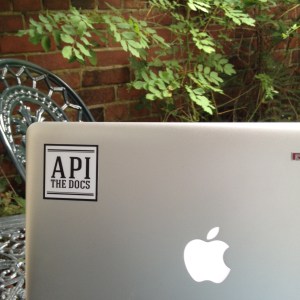
Oh, and there were free laptop stickers:
IMG_1034

At last, I can hold my head up high in London’s Shoreditch / Manchester’s Northern Quarter…


Update (22 July)

Since writing this post a month or so ago, slides and videos of the presentations have been uploaded to the Provinix site here:

https://pronovix.com/api-docs-london-2017

I’ve now had chance to watch the videos for the two talks that I missed:

  • Jessica Parsons – “The best of both worlds: a Git-based CMS for static sites”. Jessica is from Netlify, a static site hosting service (which I’ve used before, as they provide, or used to provide, free cloud hosting for static web sites which I used to temporarily host mkdocs generated API documentation at my previous contract, as a proof of concept before I got agreement to set up our own webspace). Jessica’s talk goes through the advantages of using static site generators to build simple websites (ideal for documentation) rather than using CMS (database driven) systems or Help Authoring Tools. This fits with the “docs-as-code” approach, with version control being done by Git or Subversion rather than by a database back end, and of course hosting with a service like Netlify allows build hooks for Github, and so on.Jessica gives a quick overview of several static site generators (Jekyll, Hugo, Sphinx, mkdocs, Gitbook, Slate) as well as explaining the general concept. I was especially interested to hear about Slate – I hadn’t realised that it produced output inspired by the Stripe API documentation (which is something everyone wants to emulate), so that’s something I will be checking out. Slides can be found here: http://slides.com/verythorough/best-of-both#/
  • Jaroslaw Machaň – “Opening a door to a sleeping castle”. Jaroslaw is from Ceska Bank in the Czech Republic, and talked about the API platform they built to support internet banking. Not surprisingly, a good developer portal was vital.

These were both useful and interesting talks, so it’s a shame I missed them because of trains etc. – many thanks to the people at Provonix for uploading videos and slides.


My favourite (technical) technical writing resources

There are a number of really useful blogs and sites around these days which will be of interest to the more technical type of technical writer – I thought it would be useful to create and maintain my own list of links to my favourites.

The list is not meant to be exhaustive, and doesn’t include many standard tomes (Chicago Manual of Style, etc.) – it’s really just a list of things I really like and which relate to how I see the field developing. I’ll update this page as I come across other sites I like.

  • I’d rather be writing  Tom Johnson’s excellent blog contains many articles and also short courses, as well as many podcasts (I’ve found that listening to the podcasts while commuting is a good way keep up with technical writing trends). Tom’s based in Silicon Valley and has worked for several of the big players. His podcasts include recordings of some Bay Area meet-ups, which provide interesting insights.
  • hack.write()  Another interesting blog, this one tends to focus on developer documentation, using “documentation as code” approaches. It’s currently quite a new blog with only a few pages, but seems to be updated very regularly (at least for now).
  • Write the Docs (WTD)  The Write the Docs group is a really good way to keep up with what’s going on. The WTD slack channel is full of some very knowledgeable folk, with a lot of useful discussion. There are conferences and meetups. I find WTD to be more interesting than other groups like STC (and it’s free and open to anyone). Again, there is a slight slant with WTD toward developer docs, API docs, docs-as-code, static site generators (especially Sphinx and to some extent Jekyll), open source, use of GitHub, and so on.
  • Modern Technical Writing  I think everyone involved in software documentation (especially developer facing documentation) should read this short book. It’s only a couple of quid for the e-book on Amazon. I wrote a review here.
  • Elegant Documentation Principles  Nice GitHub project (no code, just the readme file containing the text you see when you visit the repo) with some principles for good tech writing. I like how the author has taken some principles from software development and attempted to come up with similar ones for good technical writing.
  • Every Page is Page One  Mark Baker’s longstanding blog (named after his book) is strong on topic based authoring / single sourcing, but also other issues, including lightweight markup.
  • StaticGen  This site is a nice resource (provided by Netlify, a hosting service) giving a fairly comprehensive list of the static site generator tools that are available. It’s built from a public GitHub project so you can suggest changes if you know of something missing. There’s a link to a matching list of headless-CMS systems too.
  • Beautiful Docs  This is another GitHub readme, with a list of nice examples of great documentation, a list of useful tools, and a list of some other resources about tech writing. The project owner accepts contributions, so you can fork the project and send a pull request with your suggestions for any other good examples.
  • On docs, learning to code, and life  Jennifer Rondeau’s blog has a few nice entries about API docs writing and related issues. I especially like the rant about why technical writers should stop talking about “Subject Matter Experts” and become part of the team, and her suggestions on learning API technology (don’t rely on reading about how to document APIs, instead learn about APIs). Other topics include problems with Swagger, why API docs are important, and so on. Worth a read.
  • AgileDocumentation  This blog by Rob Woodgate, a UK based technical writer, has some good thoughts on how tech writing (and tech writers) fit in with the Agile process. For example he considers the question of should documentation be in the definition of done? (his answer is, it depends). Much of this blog is relevant to anyone writing software documentation in an organisation using Agile development process, whether or not the tech writer is a “technical technical writer” producing developer facing docs. However it seems to me that one of the features of Agile (tech writers are part of the team, not separate) is to an extent a reflection of (or perhaps a driver of) the “documentation as code” movement (tech writers using the same tools and processes as software developers, because code and docs are both software).
  • Documentation as code  Because this term has become quite trendy just recently, I thought I’d look up where it came from, and I came across this slideshow by Evan Goer from 2013 (Evan’s a programmer with an interest in documentation). The term seems to have been picked up by others (though I am prepared to believe that he got the term from someone else originally). Anyway, what it means, simply, is for tech writers to use tools and processes that software developers have already got, rather than re-invent wheels. Or, as Evan puts it; “The radical notion that documentation is part of your project, just like your source code and build scripts and unit tests and everything else”. Most obviously, docs should be in version control, just like other assets (I’ve been doing this for twenty years so no argument from me).
  • Google Developer Documentation Style Guide – Google recently made their style guide available to the public, and it contains a lot of sensible advice, including the caveat that it is only for guidance. Obviously the first rule to break the one about using American spelling…

“Modern Technical Writing” by Andrew Etter – a breath of fresh air

Recently I read a review (on Tom Johnson’s excellent blog about technical writing) of a short book called “Modern Technical Writing”, by Andrew Etter. It’s available on Amazon as a download for Kindle for £2.69 / $3.56 (or free if you have Amazon Kindle Unlimited).

Based on Tom’s review I downloaded the book, and I’m glad I did – I thoroughly recommend it. It’s refreshingly short – more of a pamphlet or extended essay than a typical text book, and all the better for that  (I read it in full during one 45 minute train journey home from work).

I guess I like the book partly because it says a lot of things about technical writing that I’ve thought for many years, in particular:

  • know your audience
  • understand the topic
  • use simple text markup, not heavyweight WYSIWYG, and don’t bother with complex DITA type projects that will never work either
  • put the source in source control (Etter is a fan of Git)
  • build static websites
  • wikis are rubbish

Now, the first two are, you would think at least, uncontroversial, but I loved Etter’s quick romp through this area, especially his description of technical writers who obsess about the Chicago Manual of Style and so on:

“…their impression of the job was that technical writers interviewed engineers, took copious notes, wrote drafts in Adobe Framemaker, and waited several hours for some arcane process to build these drafts into printable books… None of them seemed to give any thought to their reader’s needs, preferring their own criteria for what constituted a job well done. They used phrases like ‘clear, concise, correct and complete’ and avoided words like ‘searchable’, ‘scannable’, ‘attractive’, and most egregiously, ‘useful’. … they were products of a dysfunctional profession, …judged far too long on meaningless criteria by managers [who] would rather produce minimal value from a lot of work than tremendous value from far less work.”

Ouch. I had flash backs to an unhappy time working for a large company that did everything in Microsoft Word and used technical writers merely to proofread and copy-edit those Word docs (in arbitrary time scales) before they were submitted to “some arcane process” (which took longer than the time allotted to actually write the stuff) that destroyed all the formatting that line managers obsessed about, and then uploaded the content in mangled html form to a website.

I’ve never liked WYSYWIG, hate MS Word with a passion for anything other than writing a letter, and could never see what on earth Framemaker fans were so keen on. Instead, I used LaTeX in the 90s (and into the 00s), and kept the source files (plain text with readable markup) in version control, using whatever version control tools the software engineers around me were using (so initially RCS, then Perforce or Subversion). I was deemed to be a bit odd. I used other things of course when duty called, but my favourite Help Authoring Tool was Help and Manual, partly because it is more lightweight than Flare, and partly because its source is well formed XML that you can edit safely when you need to (and you can play around with the CSS that drives the styles too).

But then I noticed a few years ago something happening in discussions I saw in places like techwr-l. Suddenly everyone was talking about how to get their Framemaker files into Subversion. Then, lots of people were acting all interested in XML and DITA – which is plain text markup. XML is really really bad of course, and not meant for humans, but still.

And now, just as programmers have tended to move from XML to JSON for data purposes, it seems technical writers are coming round to lightweight, readable, simple markup like markdown or reStructuredText. And putting the stuff in Git. Because it’s software, just like the rest of the code, and there’s no excuse to use different tools or re-invent wheels.

I still think there’s scope for some form of markup that’s as easy to work with as markdown, but provides semantic tagging, while still being simple syntactically. But until that comes along, I’m with Etter – my favoured approach for getting stuff done would be markdown or rst, stored in git or svn, and built into a static website using one of the many open source tools that do that. The only problem really is there are so many different tools – Etter’s book gives a quick overview of a few.

So, in short – if you’re a technical writer, it’s well worth reading this book. Even if you don’t agree with all of it, there’s probably food for thought, and you won’t have invested too much time or cash.

Or, wait for me to publish my own personal manifesto for technical writing which I’ve had at the back of my head for a few years now – but I may not get round that that, as I’m too busy playing around with static site generators. And that Etter bloke stole my thunder, anyway.

PS. Tom Johnson’s review (much better than mine, as is his blog) is here:

http://idratherbewriting.com/2016/07/26/modern-technical-writing-review/


Adventures in Boot Camp

Wow. It’s a long time since I updated this blog. Either I’ve been busy, or perhaps I just had nothing to say. Well, today I thought I’d share my experience of putting Windows 7 on my MacBook, in Boot Camp. It may be useful to someone…

It seems like a good idea to have Windows on your Mac as an option, and Boot Camp is supposed to make it easy. I’ve previously set up virtual machines but sometimes that’s not enough and so I eventually took the plunge with Boot Camp. I even remembered to print out the Boot Camp instructions as prompted before starting (you should do this, although they are available on line if you can access a second computer should you need them).

First thing to note is that almost straight away Boot Camp bowled a googly (that’s a cricket analogy – if you’re American it loosely translates as ‘threw a curve ball’). The dialog gives you the option of downloading all the drivers it will need – but when you do this it fails. Apparently it always fails, so you should ignore this.

Instead, select the option to install from your Mac OSX boot disk; you won’t need to worry about this until after you’ve got Windows set up, so choose that option and carry on…

Next, you get to the bit where you choose how much disk you want to give over to your Windows installation, and then Boot Camp is supposed to partition the disk for you. On my 18 month old MacBook, this generated the following error:

“Your disk cannot be partitioned because some files cannot be moved. Back up the disk and use Disk Utility to format the disk as a single Mac OS Extended (Journaled) volume. Restore your information to the disk and try using Boot Camp Assistant again.”

Whoa there, Apple. Way to scare people.

I’ve got Time Machine backing up my Mac to a network drive, and that’s fine, but I still baulked at the idea of re-formatting the disk and trying to restore everything. Even if it all went fine, it sounds really really scary. And besides, over a network it would take hours/days just to restore…

I hadn’t already partitioned the disk, and also it’s still got plenty of space (nearly 150GB) so fragmentation shouldn’t be the cause of the problem (apparently it can be, in some cases). And disk utility reported some problems when I checked it, but it would not repair.

So I gave up for the day. Annoying. But, next day, some reading on the web, and I find this:

http://support.apple.com/kb/HT2414

(you’ll note, not relating to quite the same error message I got, or I would have found it a lot quicker…)

So, boot the Mac with the Mac OSX installation DVD in the drive, and the C key held down – then go into disk utility and repair (you should see this as an option at the top, remember not to actually go and re-install OSX; oh and you might need to press hard on the track pad rather than tap) – this time it worked! After a normal reboot (without the OSX install disk), Boot Camp then worked properly. Partitioned the disk, asked for Windows 7 install disk, set it up, all went well.

If you get to this stage you’ve got it cracked. After that you just need to reboot Windows and remove the Windows DVD (it does eject if you hold the eject key down long enough!) and then put the OSX install DVD back in, it should run automatically, and it will install all the drivers (if you are confused that tapping doesn’t do anything, remember to click by depressing the track pad… you can later change the track pad options via the Boot Camp control panel in the system tray).

At last! Now just remember to hold the Alt key down when you reboot to make Boot Camp appear and give you the option of which OS to boot up into…

Windows 7 – meh

I just upgraded my Windows machine from Vista to Windows 7.

To be fair to Microsoft, the upgrade was pretty painless, other than some scary sounding messages about backups and iTunes needing removal (actually that’s probably a good thing). I did a full backup just in case, but it wasn’t needed, everything seemed to work. Naturally after installation it still spent the next couple of days doing updates at seemingly random intervals, but hopefully that’s settled down now.

Also on the positive side, I can now run the software which I am supposed to be testing for someone (it mysteriously failed to startup under Vista, despite working well on various geriatric XP machines). So that’s another plus (of sorts; the real mystery is why it barfed with Vista, other than the obvious point that Vista was just not fit for purpose).

However… (as the saying goes)…. why oh why does it still take about 2 or sometimes 3 minutes just to boot up and log on on a 1 yr old core 2 duo laptop? And almost as long to switch off, too. My MacBook with almost the same hardware boots up Mac OSX 10.6 (Snow Leopard) in about 15 seconds, and shuts down in 3.

Windows 7 seems to have ripped off  couple of ideas from MacOSX like the task bar at the bottom, but they’ve missed the important aspects of MacOSX – like the fact that the Mac recognises my wifi printer automatically and Just Works. The ugrade to Win 7 deleted the bloatware HP drivers (hurray) but it now doesn’t recognise the printer so I’ll probably have to install them again (actually I may not, and just grab my Mac if I want to print something – that’s how much I hate the HP bloatware).

So, nice try Microsoft, but no cigar. Basically, using Windows makes me angry. I have to have a calm down afterward. But I have to use it for work. For years I thought it was me, but no, it really is that Windows is broken; after all, I used to love the Sun and Silicon Graphics unix workstations I used at work before PCs took over. And now I can turn on a Mac and do what I want to do without breaking into either a sweat or bad language. But the latest and best version of Windows is still just better than other versions of Windows. You wouldn’t start from here.

Combat the 1-star menace

In my previous post I mentioned the big problem with the way Apple prompts users for reviews, by asking uses to rate an app at the point that they delete it, this naturally leads to all the people who didn’t like an app leaving a low rating. This is a particular problem with free apps – people download something because it’s free, decide it’s not for them after about 30 seconds and then hit 1 star when Apple invites them to rate it. Meanwhile who knows how many happy users, who didn’t delete the app, aren’t invited for their views.

So, to encourage users to review your app while in a positive frame of mind, and therefore drive up your average score (actually, to encourage a less skewed set of ratings), one remedy is to add code to your app that takes them to the page on the app store where they can review your app. You don’t want to do this too often or it will annoy, and that could generate the type of review you don’t want. So, perhaps you could prompt users who have had the app installed a certain length of time, or in the case of a game if they get a good score, but only do this once. Hopefully enough users will see the prompt while they’re feeling good about your app to generate some good feedback.

I decided to add such a prompt to my game CodeSpin – here’s how to do it:

- (void)rateAppDialog {

   UIActionSheet *actionSheet = [[UIActionSheet alloc]
      initWithTitle:@"If you like this app, please rate it. Thanks!"
      delegate:self
      cancelButtonTitle:@"Maybe Later"
      destructiveButtonTitle:@"Rate it Now"
      otherButtonTitles:nil];

   askedforreviewalready = TRUE;
   [actionSheet showInView:self.view];
   [actionSheet release];
}

- (void)actionSheet:(UIActionSheet *)actionSheet
  didDismissWithButtonIndex:(NSInteger)buttonIndex {

    if (buttonIndex != [actionSheet cancelButtonIndex])
    {
       NSURL *url = [NSURL URLWithString:
          @"http://itunes.apple.com/us/app/codespin/id357871024?mt=8"];

       [[UIApplication sharedApplication] openURL:url];
    }
}

Obviously you need to change the URL to be the page for your app on iTunes. Also, note how we set a boolean flag to remember that the user has been prompted once already. Elsewhere in my code I persist this along with all the other data that I want to store between sessions, and then at the point in the code where a user sets a high score > 200 (which is my way of identifying someone who’s played the game for a little while), I check this flag and if they haven’t been prompted yet, show the alert defined above:

if (hiscore>200 && askedforreviewalready == FALSE)
{
        [self rateAppDialog];
 }

Updates and freebies

Recently I’ve been spending some time teaching myself some new programming skills (Silverlight with C#) so not done much more iPhone development. However a bug came to light that needed fixing in my released app CodeSpin (if the screen was locked while the game was playing then the countdown timer misbehaved), so once fixed I was ready to release an update version (v1.2 in fact).

In the last few weeks the app hadn’t had many downloads, so I thought I may as well do an experiment and reduce the price from 59p in the UK (99 cents in USA, 79 cents in Euroland) to nothing, until the end of the month (May).

The following day I logged in to the Apple portal not sure what to expect – and found there’d been over 400 downloads overnight! Several hundred followed the next day, and a couple of hundred the next few days as well. So it tailed off a bit, but even so – a week with no downloads at all, followed by a 1000 downloads in half a week. Looks like a lot of people appreciate something for nothing!

I knew there were several websites that track and announce price drops for iPhone apps, but these numbers were still surprising. I’d also announced the update and price drop on various forums, but the number of views of these postings didn’t add up to half the number of downloads in the first day, so I can only assume a lot of people look at or subscribe to the price drop sites.

Now this is good since it means there is a way to get an app noticed (apps get almost no visibility on the app store unless they have enough sales to appear in the top 80 for any category, and the recently released list was no use to me when I released my app since it never appeared in the first couple of screens) but it’s also perhaps instructive of the number of people that will download something seemingly just because it’s free.

A common approach is to have a free version of an app purely as a sales driver for the full version, just so that the free version can get you some visibility and those all important iTunes ratings. I had tried giving away promo codes via forums which only got one or two reviews – but now I’ve noticed that several people who downloaded the app once it went free gave it one star on the same day it went free. I can only assume that these were people who saw that a game was free, downloaded it, and then immediately decided it wasn’t for them (it’s a logic puzzle game after all, not the next Doodlejump or Angry Birds), deleted it, and hit ‘1 star’ when prompted by the delete app dialog.

Now I don’t want to whinge, but this does seem a little unfair that the first people to delete an app when the realise it’s not their sort of thing, are probably also the first ones to rate the app. My game takes a little while to learn how to play properly, so people that give up straight away won’t have understood it – meanwhile (I like to think, at least) some other people who do like it are busy playing it, and aren’t prompted to rate it. A couple of 4 and 5 star ratings in the US store seem to indicate that some people like it, at least! (as did the test subjects I tried it on before release).

The other thing is, I’m not sure if making it free for 2 weeks was the best approach – there was such a spike in downloads from the first day or two that I can see why many developers have a one day sale for apps as a way to drive the app up the sales charts. Will the number of downloads tail off over the next week or so even though it’s still free, or settle at some level? Time will tell…

My first app available on the app store…

A while ago now I decided that going through the tutorials on Objective C in a book was all very well but I really needed to write something of my own from scratch in order to really get to grips with it, and I wrote a version of the old Mastermind or Bulls and Cows game where you have to guess the secret code based on clues about how many of your guesses are correct and how many are in the code but in the wrong place. To make it more fun I made it against the clock, and added a scoring system where you are awarded points based on how quickly you got the answer, but with points taken away again for each guess to discourage just trying every combination. I also used numbers rather than colours and the picker wheel UI which is a standard GUI element in Cocoa Touch.

This simple game proved to be a good way to learn about quite a few aspects of development, such as the difference between regular arrays and mutable arrays, how timer objects work, how to store data in plists, how the settings bundle works, and so on.

Anyway, when you’re 90% finished you’re halfway there goes the old saying, so a couple of weeks ago I decided to finish off the app to a proper standard and get it published. In addition to obvious things like adding instructions and making an icon, there turned out to be several other things to learn such as obtaining another device profile from Apple to build against (I already had a profile for my iPod Touch so I could build and run my program on the device, but you need another profile again for distribution), all of which was quite time consuming and involved. A lot of the reason why it’s quite involved is to do with Apple’s decision to lock down iPhone OS so that the only way to install software (officially at least) is via Apple.

When everything was finished and built against the new distribution profile in XCode I submitted it to Apple and awaited their decision – there seems to be a degree of automated checking which happened straight away but once that was happy the status of my app was shown as ‘waiting for review’ After 24 hours this changed to ‘in review’, and then a day later it was approved – see it here on the App Store.

At this point I encountered a couple of new traps for the unwary – first, my app is showing as only available for OS 3.1 (which I have installed on my iPod Touch) even though I didn’t use any APIs that weren’t in 3.0, which probably reduces the possible number of customers by a large margin (my son for example doesn’t see why he would spend any of his pocket money on updating the OS on his Touch) so I need to find out how to remove that restriction. Secondly, the App Store is meant to display apps by release date as well as by best selling, which is the only way a new app will get any visibility to potential customers on the store. However this seems to be a bit confusing at best (some blogs say broken); for several days my app didn’t appear on this list at all, and then it appeared but a very long way down where it won’t be seen by many people. Apple don’t seem to be very clear on exactly how this works, and this is another thing that I’m glad I’ve found out about on my first app and not when I come to release something which I’d invested a lot of time in and needed a return from.

You can read more about ‘CodeSpin’ here and if you like that sort of puzzle game, why not give it a try? I’m hoping that the scoring system (it remembers your high score for all 4 skill levels) and the element of trying to beat the clock will make it quite addictive – my best score so far is 716, if you beat that let me know!

That announcement from Apple…

It can’t have escaped many people’s notice that Apple finally unveiled its new gizmo yesterday to much media fanfare… and as largely expected, it was a small tablet computer which Apple hope will fill a gap between a smartphone  / PDA and a laptop, and is called the iPad.

Basically, it seems to be a large iPod Touch, running a version of iPhone OS but with a more powerful processor as well as large touch screen. My first impression was that it is something that would be ideal for someone who wanted what most computer users want (web access, sorting out their music and photo collection, play the odd game, type letters, send emails) without the hassle of actually needing to use a computer, worry about viruses, etc. Most people don’t need a proper computer after all, and find them hard to use (think of your parents or grandparents). For that kind of casual user, the iPad would be ideal. You can connect it to a Mac or PC, but I’m not entirely clear yet whether you need a ‘real’ computer as well, it would seem a shame if you do.

From the development perspective, the interesting thing is that there is a beta available of version 3.2 of the iPhone SDK, and this supports iPad development. The iPad will run iPhone/iPod Touch software and uses the iTunes App Store in the same way, so presumably the main thing in the new SDK will be support for the larger format screen (rumours of support for multi-tasking seem to have been jumping the gun). Apple’s website says something about universal applications working on both devices which presumably means apps which can present different interfaces depending on what device they find themselves running on. The iPad uses a custom designed chip, more powerful than the ARM processor in the iPhone so it’s not clear if it shares the same instruction set or will emulate ARM code.

If the iPad takes off, it will represent a big opportunity for iPhone developers. At the very least, refactoring the UI of existing apps so they can take advantage of the larger screen will keep a lot of people busy for a while. A lot of iPhone apps are very cheap, in some cases novelty items, or wrappers for website to provide a better mobile interface – it will be interesting to see if the iPad drives up the quality and price of the software on the App Store. We might get a new price point emerging, less than the price of full Mac or PC software, but more than the couple of pounds/dollars/euros that the majority of iPhone apps cost.

Building an interface

As I mentioned in one of my earlier posts, programming these days is quite different to how it was when I first learned. You used to write a program and that was pretty much it – your program would interact with the operating system of course just by using standard functions or commands in the language you were using, and occasionally you might use some other library of functions. If you were implementing a GUI you’d need to design that on some graph paper as all the buttons etc. needed to be placed by writing code.

Nowadays, using IDEs like XCode on the Mac or Visual Studio on the PC, things are a bit different. For one thing, you never write an actual program from scratch – you create a new project, and a whole bunch of code, across several files, appears as if by magic. Your task then is to fill in your code at the relevant points, either adding to or replacing the boilerplate code that was automatically created.

Secondly, there’s probably some sort of graphical tool for producing the GUI. On the Mac this is known as Interface Builder. When you create a project in XCode, one of the files that is created for you is a .xib file (known, for some historical reason, as a “nib” file). When you click on this in XCode, up pops Interface Builder. These same tools work for both Mac and iPhone projects.

Now, at first glance this seems very nicely done – Interface Builder (I’ll call it IB for short) allows you to drag UI elements from a display list and place them where you want – in the case of iPhone projects, on an iPhone sized screen display. All the standard bits of iPhone UI are available, and when you place them IB does a very nice job of helping you position things properly with guide lines etc., it really is quite easy. Any text labels etc. can easily be typed in and the font, size, colour, etc. changed. So making the UI look like it should is about as straightforward as it could be. Of course, you’ll need to connect the UI elements to your code in some way before they actually do anything, and Apple’s way of doing this is for IB to spot certain markers in your code (for variables and functions/methods) and allow you drag a blue line indicating a connection between the UI element in question and these parts of your code.

To understand this you need some lingo, as you need to use “outlets”, “actions”, “data sources” and “delegates”:

  • Outlets are variables that the UI will interact with (the text in a text field for example)
  • Actions are methods/functions that the UI will call (the action to be performed when a certain button is pressed for example)
  • Data Sources are, well, sources of data that will be used in the UI (the choices available to the user on a picker list for example)
  • Delegates are classes that are used to handle something that Cocoa would otherwise do, but which for some reason Cocoa needs to delegate to you (populating the data of a picker for example)

In your code, if you use the keyword IBOutlet in the definition of a variable, or the keyword IBAction in the definition of a method, then IB will display these variables and methods (outlets and actions) and you can graphically (by dragging) connect input fields to outlet variables and buttons/sliders etc. to action methods. It’s worth noting in passing that IBOutlet and IBAction are effectively defined as null, they don’t do anything in terms of your code, they are merely markers for IB. Note that action methods should return IBAction, and also they normally take one argument which is the id of the ‘sender’ (i.e., the UI element that sent the message to cause the action).

So, you create the outlet variables and action methods in your code to store data from the UI or to do something when the user requests some action, connect them to the right UI elements in IB, save everything and build, and all should be well. Probably in most cases you would implement very simple action methods then connect up, save and build, then run to check you have the plumbing right before getting too far down the line of writing lots of code. Alternatively of course you might have already written and debugged some quite complicated bits of code and just need to connect it up to the UI.

Data sources and delegates are slightly clunkier in that you need to add some #pragma directives to your code but the principle is similar.

Now this is all well and good. But one problem that I’ve encountered a couple of times now is that, if you have managed to make some sort of error in IB (I think of it as doing some plumbing, or wiring everything up) then generally your code will compile fine but at runtime it will crash either on start up or when you perform some action in the UI, and all the debugger will tell you is that there is an unhandled exception. This doesn’t help you a whole lot since what it means is, some code you didn’t write and don’t understand is interacting badly with some other code you didn’t write and don’t understand. How do you track down what went wrong?

I’d love to know the answer to that, but so far I don’t. I had this a couple of times whilst going through the worked examples in the Beginning iPhone Development book, and I only fixed it by backing up and starting a project over. Then, I got bored of typing in example code and came up with a simple program of my own – at first I was pretty pleased with myself as that went well and I hooked everything up in IB and it ran and did what it should. Great, those earlier problems were clearly down to me just not really understanding what was going on. Unfortunately, several days later when I tried to add some new functionality to that program, I broke things again. Eventually I got the code for the new thing working, but the interface was still broken and it crashed on start up. So I spent some time commenting out all my new code, and removed the UI element I’d added in IB. Still crashes on start up. Clean build. Same problem.

So, I can’t help thinking there’s something less than ideal about this graphical approach to programming. In the old days you’d print off  a program listing and go through it on paper, seeing in your head how everything worked, or should work. I kind of need something similar to that now, some table in the code showing the linkages between UI elements and code elements. Or some debugging tool that will tell you when you’ve done something really dumb in Interface Builder.

I asked my friend who is a more experienced Mac programmer about this and he said the best thing is just to get it right first time. This reminds me of the Dutch genius of 1970s football, Johann Cruyff, who once said “before I make a mistake, I first do not make that mistake”.

I think what this means is that practice makes perfect, so I’d better get back to it!